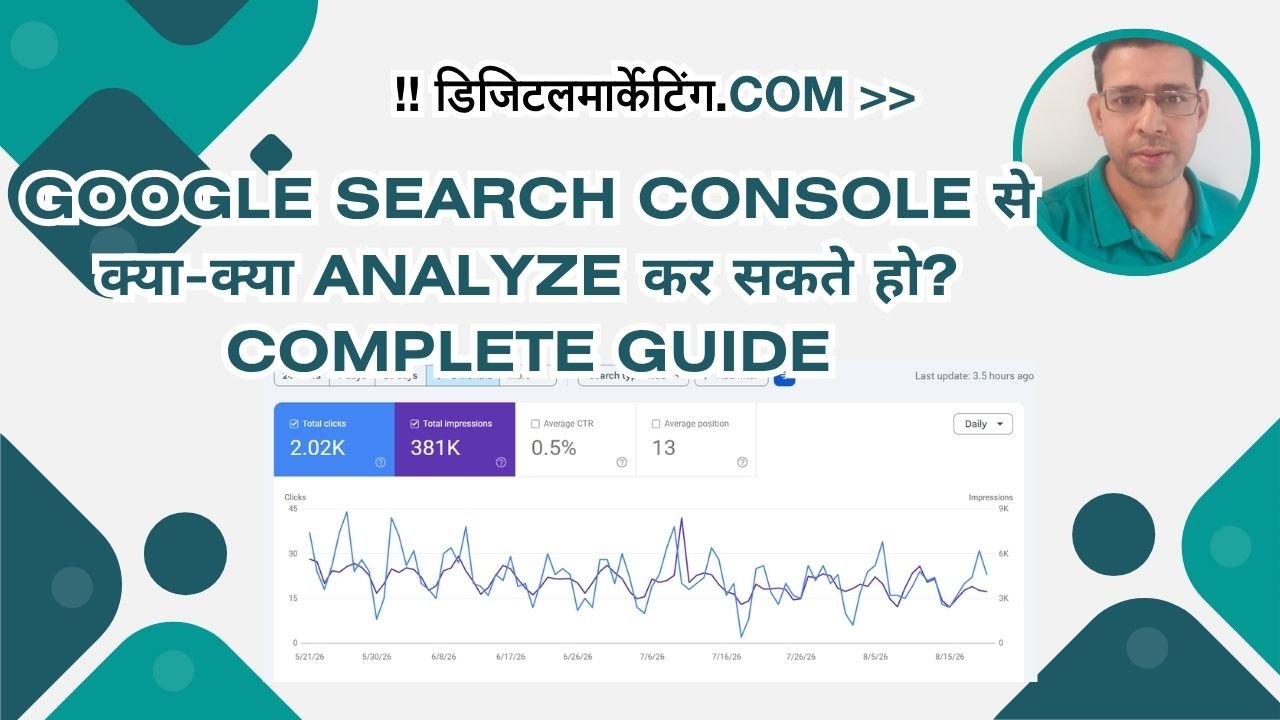
Google Search Console से क्या-क्या Analyze कर सकते हो? Complete Guide
नमस्ते दोस्तों। मैं अंकित हूं, और पिछले 15 सालों से मैं Google Search Console (GSC) का इस्तेमाल करता रहा हूं — शुरुआत से जब यह “Google Webmaster Tools” के नाम से था, आज तक।
मैं आपको बता सकता हूं कि Google Search Console ही एकमात्र जगह है जहां आप सीधे Google से data पाते हो — किसी third-party tool या estimate के बिना।
आज मैं आपको एक complete guide दे रहा हूं कि आप GSC से क्या-क्या analyze कर सकते हो, और कैसे यह data आपके SEO strategy को transform कर सकता है।
Google Search Console क्या है?
सीधे शब्दों में: GSC एक free tool है जो Google आपको देता है ताकि आप देख सको कि Google किस तरीके से आपकी website को देख रहा है।
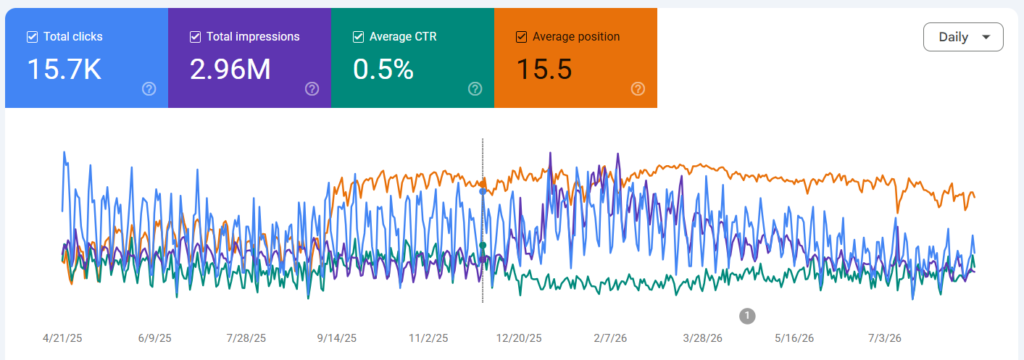
यह आपको बताता है:
- Google किन keywords पर आपकी website को show कर रहा है
- कितने लोग वह search results में आपके link को click कर रहे हैं
- क्या आपकी website में कोई technical issues हैं
- क्या आपकी pages properly index हो रहे हैं
Setup करना – पहले Step
अगर आप नए हो, तो पहले setup करो:
- search.google.com पर जाओ
- Sign in करो अपने Google Account से
- “Add Property” पर क्लिक करो
- अपने website के URL को add करो
- Domain ownership verify करो (DNS record या HTML file के through)
एक बार verify हो जाने के बाद, 24-48 घंटे में Google data दिखाना शुरू कर देता है।
Main Analysis Areas (और कैसे Use करें)
1. Performance Report — सबसे Important
यह GSC का सबसे powerful section है।
क्या दिखता है:
- Queries: कौन से keywords पर clicks आ रहे हैं
- Position: आपकी average ranking position
- CTR (Click-Through Rate): कितने लोग search में आपके link को click करते हैं
- Impressions: कितनी बार आपका result दिखता है
Practical Analysis:
Scenario 1: High Impressions, Low CTR
उदाहरण: एक query पर 1000 impressions हैं, लेकिन सिर्फ 20 clicks (2% CTR)।
क्या करें:
- Meta title या description को improve करो
- Title को ज्यादा compelling बनाओ
- Negative keywords remove करो (जो intent match नहीं करते)
मेरे एक client के साथ यह हुआ। उसका “best SEO tools” का page 8,000 impressions ले रहा था, पर सिर्फ 1.5% CTR।
हमने title को “Best SEO Tools 2026 (Free + Paid)” से बदलकर “Top 15 SEO Tools Compared: Free Tools vs Enterprise (2026)” कर दिया।
Result: CTR तीन हफ्ते में 1.5% से 4.2% तक चला गया।
Scenario 2: Position 11-20 की बातें
ये वह queries हैं जहां आप page 2 पर हो।
क्या करो:
- Content को improve करो (ज्यादा detailed, better structure)
- Internal links add करो
- Backlinks बनाओ
ये वह “low-hanging fruit” opportunities हैं जहां थोड़ा सा effort बहुत impact ला सकता है।
Filters Use करो:
GSC में filters लगाओ:
- Query: सिर्फ specific keyword देखो
- Page: सिर्फ एक specific page की performance
- Country: अगर तुम multiple countries target करते हो
- Search Type: Desktop vs Mobile अलग-अलग देखो
- Date Range: trends identify करने के लिए
2. URL Inspection Tool
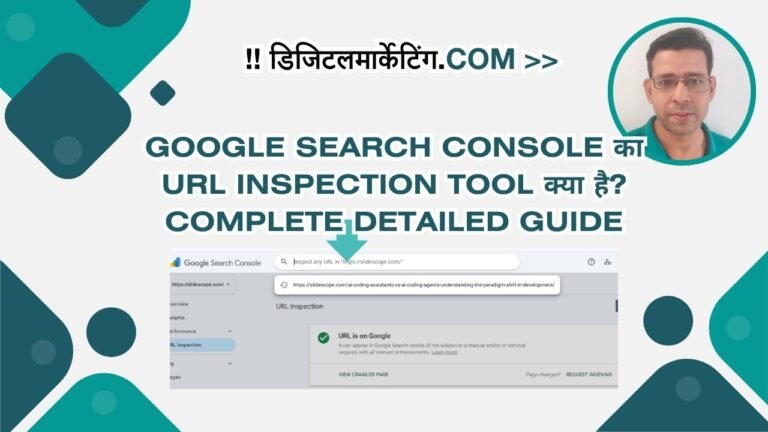
यह tool तुम्हें बताता है कि Google किसी specific page को कैसे देख रहा है।
Complete Guide of URL Inspection Tool in Google Search Console
यह जानकारी देता है:
- क्या page indexed है?
- क्या कोई errors हैं?
- Mobile usability कैसी है?
- Core Web Vitals का status क्या है
यह कब Use करें:
- नया page publish किए हो — check करो कि Google उसे देखा है या नहीं
- Page rank करना चाहिए पर नहीं कर रहा — check करो कि index हो गया है या नहीं
- Technical issues troubleshoot करने के लिए
Real Example:
एक बार मेरा एक client page “noindex” tag लगा कर publish कर दिया (accidentally)।
जब हमने URL Inspection में check किया, तो GSC ने कहा: “Excluded by ‘noindex’ tag”।
दूसरे दिन जब tag remove किया, तो page एक हफ्ते में indexed हो गया और rank करने लगा।
3. Coverage Report
यह report तुम्हें बताता है कि तुम्हारे कितने pages indexed हैं, कितनों में errors हैं।
Statuses:
- Error: ये pages index नहीं हुए हैं (urgent fix करो)
- Valid with warnings: ये indexed हैं पर कुछ issues हैं
- Valid: सब ठीक है
- Excluded: intentionally या robots.txt के through
Analysis करो:
- Errors को identify करो — क्या crawl errors हैं? Robots.txt issues? Redirect issues?
- Soft 404s check करो — ये वह pages हैं जो server तो 200 status देते हैं, लेकिन content empty होता है
- Duplicate content देखो — canonical tags सही हैं?
GSC Coverage Report से मैंने 2015 में क्या सीखा:
मेरे एक blog के 50% pages excluded थे। जब मैंने drill down किया, तो पता चला कि “noindex” robot meta tag case-sensitive नहीं है, लेकिन मैंने गलत syntax use किया था।
50 pages fix करने के बाद, 6 महीने में 40% ज्यादा traffic आया।
4. Sitemaps
अपना XML sitemap GSC में submit करो।
क्या check करें:
- क्या sitemap valid है?
- Submitted URLs कितने हैं?
- कितने indexed हैं?
- क्या कोई errors हैं?
Pro Tip: अगर तुम्हारे पास 10,000 से ज्यादा URLs हैं, तो multiple sitemaps बनाओ।
5. Core Web Vitals
2026 में यह increasingly important हो गया है।
तीन metrics:
- Largest Contentful Paint (LCP): Page load होने में कितना time
- Cumulative Layout Shift (CLS): Page elements कितना shift होते हैं
- First Input Delay (FID): अब Interaction to Next Paint (INP) में बदल गया
Analyze करो:
- क्या good performance वाले pages हैं?
- क्या poor performance हैं?
- Mobile vs Desktop में क्या अंतर है?
2024 में मेरा Experience:
मेरी एक client की website का LCP 4.2 seconds था (poor range)।
हमने:
- Image optimization किया (WebP format)
- CSS को minimize किया
- Font loading optimize किया
3 महीने में: LCP 4.2s → 1.8s (good range) Result: Mobile traffic 35% बढ़ गई
6. Enhancements
यह advanced structured data को analyze करता है।
क्या track करता है:
- Article enhancements
- Product reviews
- Job postings
- Events
- FAQs
क्या करें:
- अगर किसी enhancement में errors हैं, तो fix करो
- Structured data को validate करो
- Schema markup को improve करो
7. Links Report
यह तुम्हें दिखाता है:
- कौन सी sites तुम्हें link दे रही हैं
- कौन से pages सबसे ज्यादा link ले रहे हैं
- कौन से anchor text use हो रहे हैं
Analyze करो:
- Internal Links: कौन से pages सबसे links ले रहे हैं? क्या यह intentional है?
- External Links: क्या low-quality sites link दे रहे हैं? Disavow करने की जरूरत है?
- Anchor Text: क्या over-optimized है? Diverse है?
8. Mobile Usability
यह mobile-specific issues दिखाता है:
- Text size issues
- Clickable elements का spacing
- Viewport configuration
Data-Driven Analysis: Real Examples
Example 1: The Ranking Plateau Problem
एक client के 50+ keywords थे जो 6-10 position पर stuck थे।
GSC Analysis:
- Position: 7.2 (average)
- CTR: 2.1% (industry average 3.5%)
- Impressions: 8,000+ per month
Action Taken:
- Meta descriptions को rewrite किया (industry में CTR को beat करने के लिए)
- Title tags को question format में बदला
- Content को ज्यादा detailed बनाया
Result: 4 महीने में, 25 keywords पहले 3 positions में पहुंच गए।
Example 2: The Hidden Traffic Loss
एक client के traffic अचानक 30% drop हो गए, लेकिन उसे पता नहीं क्यों।
GSC में क्या पाया:
- 47 pages की “Valid with warnings” status थी
- ये pages image alt text में issues थे
- Mobile usability में problems थे
Action: तीन हफ्ते में सब fix किया।
Result: Traffic 3 महीने में completely recover हो गई।
Advanced GSC Tips (2026 में)
1. Historical Data को Track करो
GSC में सिर्फ last 16 months का data होता है। तो:
- Monthly screenshots लो
- Excel में data export करो
- Long-term trends identify करो
2. Comparative Analysis
अपना data compare करो:
- Competitor sites के साथ (जहां तुम्हें GSC access हो)
- Time periods के साथ (last month vs last year)
- Pages के साथ (best performing vs worst)
3. Alert System Setup करो
Monitor करो:
- क्या कोई sudden drop आया?
- क्या नए errors आए?
- क्या ranking fluctuations हैं?
4. AEO Integration (2026 का नया Trend)
अब GSC में यह भी देख सकते हो:
- क्या तुम्हारा content AI search engines में cite हो रहा है?
- AI referral traffic कितना है?
यह feature अभी beta है, लेकिन जल्दी सब को available हो जाएगा।
Common Mistakes जो Publishers करते हैं
Mistake 1: Coverage Errors को Ignore करना
उदाहरण: 100 pages में “duplicate content” errors हैं।
Problem: ये pages rank नहीं कर पाएंगे।
Solution: Canonical tags fix करो या pages consolidate करो।
Mistake 2: Mobile Data को Ignore करना
“Desktop में तो सब ठीक है” — यह सोचना गलत है।
2026 में 75% traffic mobile से आता है।
Mistake 3: Historical Data को Track न करना
हर महीने screenshots नहीं लेना।
Problem: 6 महीने बाद, trends identify नहीं कर सकते।
Mistake 4: Noisy Queries को Filter न करना
Performance report में branded queries, off-topic queries, हो सकते हैं।
इन्हें filter करके देखो कि real opportunity कहां है।
Action Plan — अगले 30 दिन
Week 1-2: Baseline Create करो
- GSC को properly setup करो
- Sitemap submit करो
- All reports को screenshot लो
Week 2-3: Issues Identify करो
- Coverage errors को fix करो
- Core Web Vitals issues देखो
- Mobile usability problems solve करो
Week 3-4: Optimization करने लगो
- High-impression, low-CTR queries को target करो
- Position 11-20 pages को improve करो
- Internal linking strategy बनाओ
Ongoing:
- Weekly monitoring
- Monthly analysis
- Quarterly deep dive
Final Checklist
GSC से maximize करने के लिए:
- ✅ Property verified है?
- ✅ Sitemap submitted है?
- ✅ Coverage report में कोई critical errors हैं?
- ✅ Core Web Vitals कैसे हैं?
- ✅ Performance data को monthly track कर रहे हो?
- ✅ Low-hanging fruit keywords identify किए हैं?
- ✅ Mobile performance check किया है?
- ✅ Links report में suspicious activity है?
- ✅ Structured data enhancements properly setup हैं?
- ✅ Action items की list बनाई है?
आखिरी बात
2011 से अब तक, मैंने Google का strategy देखा है — हमेशा publishers को सही information देने की कोशिश करना।
Google Search Console भी same philosophy से बना है। यह Google आपको कह रहा है: “यह देखो, तुम्हारी website Google से कैसे दिख रही है। अब सुधार करो।”
अगर आप GSC को properly use करते हो, तो यह सबसे powerful SEO tool है — और free भी।
तो अभी GSC खोलो, और अपनी analysis शुरू करो।
लेखक का नोट: यह guide August 2026 तक accurate है। Google नियमित रूप से GSC को update करता है, नई features add करता है। Google Webmaster Central Blog को follow करते रहो नई updates के लिए।
Quick Reference: GSC Metrics Explained
| Metric | Meaning | Target |
|---|---|---|
| Impressions | कितनी बार तुम्हारा result show हुआ | ज्यादा है तो अच्छा |
| Clicks | कितनों ने actually click किया | Impressions जितना ज्यादा अच्छा |
| CTR | (Clicks/Impressions) × 100 | Industry के 3-4% से ऊपर |
| Position | Average ranking position | 3 या उससे कम |
| Valid | सब ठीक है | 95%+ होना चाहिए |
| LCP | Content load time | 2.5 seconds या कम |
| CLS | Layout stability | 0.1 या कम |
| INP | Interactivity | 200ms या कम |